Private AI assistant for SMBs on GB10: mesures

On a GIGABYTE AI TOP ATOM (NVIDIA GB10 chip, 128 GB), a complete software stack (the Open WebUI interface, the gpt-oss 120B model, and the bge-m3 retrieval model) starts in 66 seconds and takes up 68 GB. It indexes 5,000 pages in 6 minutes, retrieves the right document 86% of the time on 500 pages (78% on 5,000), and answers a single user in 10 seconds. Across 200 answers, no container sent a packet to the outside. Each answer costs 0.15 Wh of GPU energy.
An SMB that wants to query its contracts and procedures with AI quickly faces a question: where do my documents go? A private assistant keeps everything on an office machine. It relies on RAG (retrieval-augmented generation): the system first searches your files for relevant passages, then a model writes the response. We measured a complete stack on an AI TOP ATOM provided free of charge by GIGABYTE, using the documents of a fictional company.
#What's in the stack: three pieces of software, 68 GB
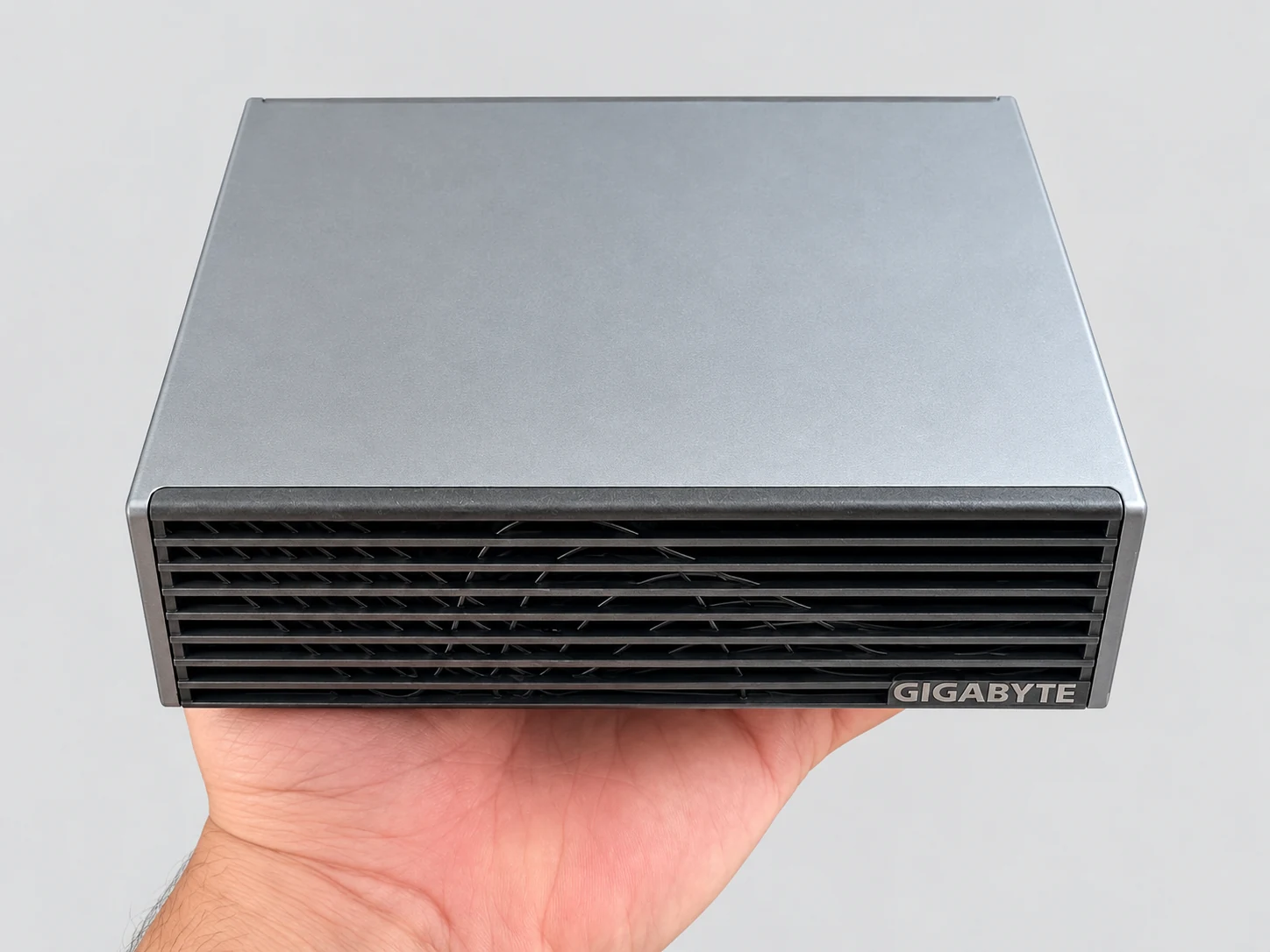
A private assistant consists of three building blocks, which we installed in Docker containers on an AI TOP ATOM (model ATAGB10-9000, DGX OS 7.5.0). The models run on llama.cpp, build 11430.
- Open WebUI 0.11.4
- The web interface: accounts, file uploads, knowledge bases, and chat. It also splits documents into chunks, 1,000 characters with 100 characters of overlap by default, and keeps the 5 chunks closest to each question.
- gpt-oss 120B (MXFP4)
- The model that writes the answer, served by llama-server (the server that ships with llama.cpp). MXFP4 is its native, already-compressed format. It is configured for 10 parallel requests. It's an MoE (mixture-of-experts) model: for each token, it uses only 5.1 of its 117 billion parameters.
- bge-m3 (Q8_0)
- The embedding model, used here in its Q8_0 version (8-bit quantization). It turns each chunk into a sequence of numbers that represents its meaning, which makes it possible to compare a question with the chunks. It's multilingual, so it works well for French.
A full startup, from a flushed disk cache, took 66 seconds until the interface was ready. The stack uses 68.0 GB of memory: the gpt-oss 120B process takes 63.6 GB on the GPU side and bge-m3 takes 0.8 GB; the rest comes from Open WebUI and the system.
After startup, 48.6 GB remain available on the machine. Memory figures in this guide are in GB, as Linux displays them: 1 GB = 1,024 MB. The first guide in our series covers the speed of gpt-oss 120B in detail: 58 tokens per second.
#The fictional company and the 100 questions
Benefit from our experience and a guided path to build your local RAG and work with your own documents.
- Lifetime online access
- PDF + files
- Refunded within 30 days
Lustrelle is a fictional SMB that we made up: a workshop, a warehouse, an after-sales service department, and offices. Its 60 documents are text files in Markdown format (plain text with a few symbols for headings and lists). They cover human resources, workshop safety, backups, expense reports, customer returns, and the training plan. They contain specific figures, names, and conditions, so that every response can be verified.
To reach realistic volumes, we added public Service-Public fact sheets, as our protocol provides. This yields three knowledge bases of increasing size. The methodological details in this guide are set by an amendment to our protocol, dated October 7, 2026, before the assistant's first response. The protocol was frozen before the first measurement; the method, the dated list of amendments, and the data behind our tables are published on our methodology page.
| Base | Files | Content |
|---|---|---|
| 50 pages | 26 | 26 of Lustrelle's 60 documents |
| 500 pages | 114 | Lustrelle's 60 documents and 54 Service-Public fact sheets |
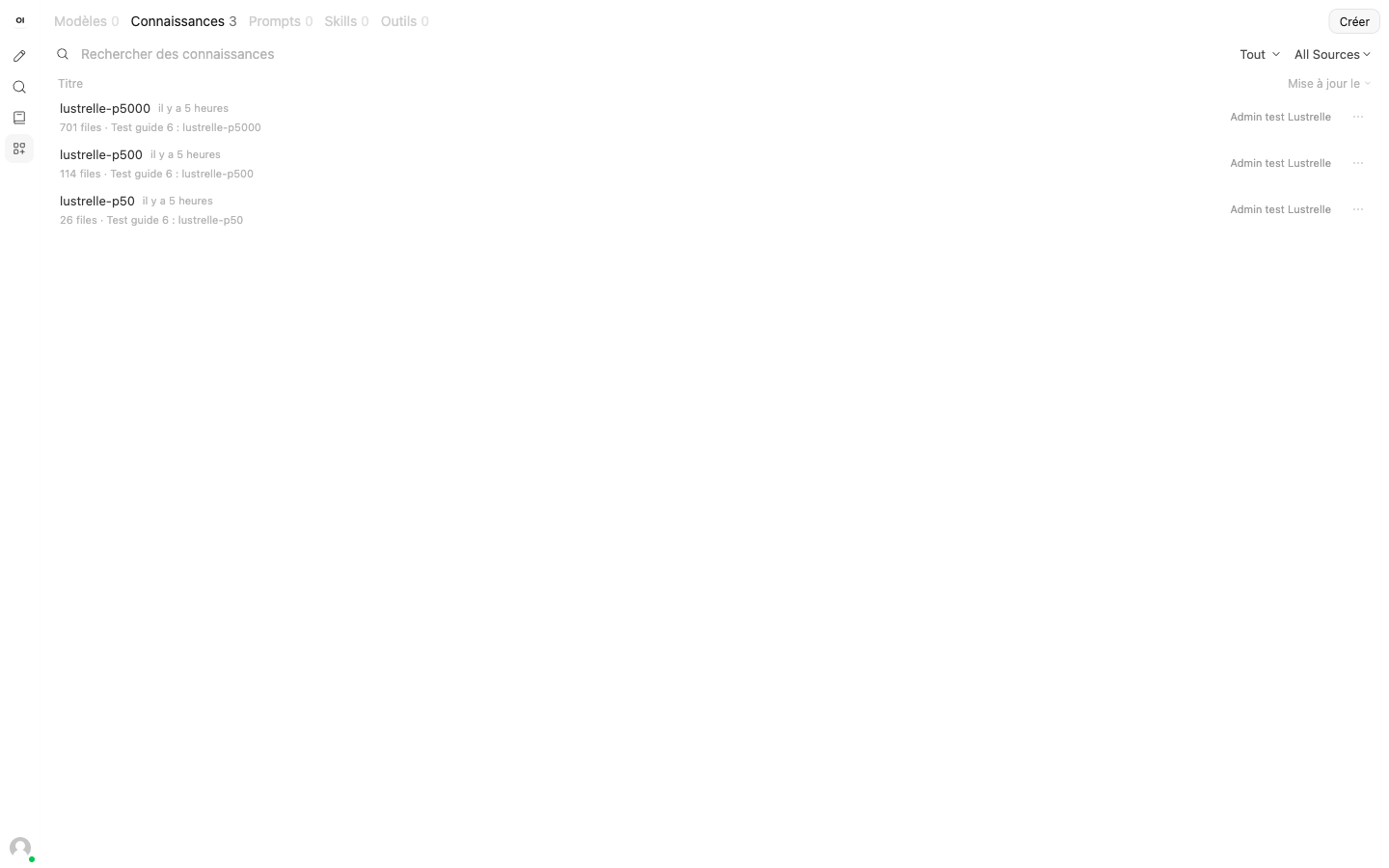
| 5,000 pages | 701 | Lustrelle's 60 documents and 641 Service-Public fact sheets |
The 100 questions are asked as is, without rewording. 80 of them have their answer in the documents: 50 fact questions, 10 procedure questions, 10 number questions, and 10 synthesis questions. 20 have no answer in the documents: they check that the assistant admits this instead of making something up.
- Fait
- How many first-response firefighting team members do we have? Expected answer: ten, designated from among the employees.
- Chiffre
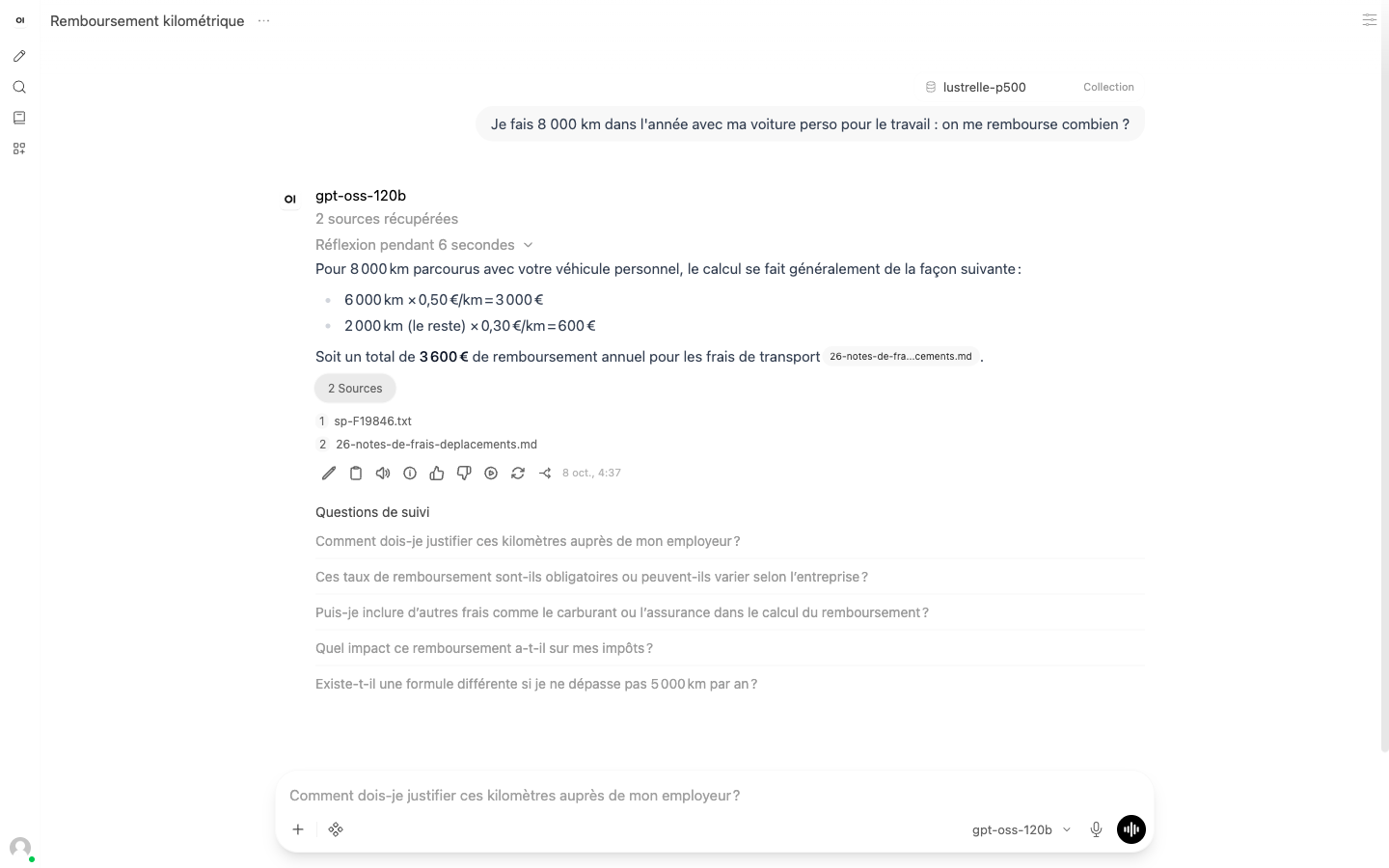
- How much does the 60 cm Brindille pendant light in smoked oak cost, including VAT? Expected answer: €360 incl. VAT (€348 in natural oak, plus €12 for the smoked finish).
- No answer in the documents
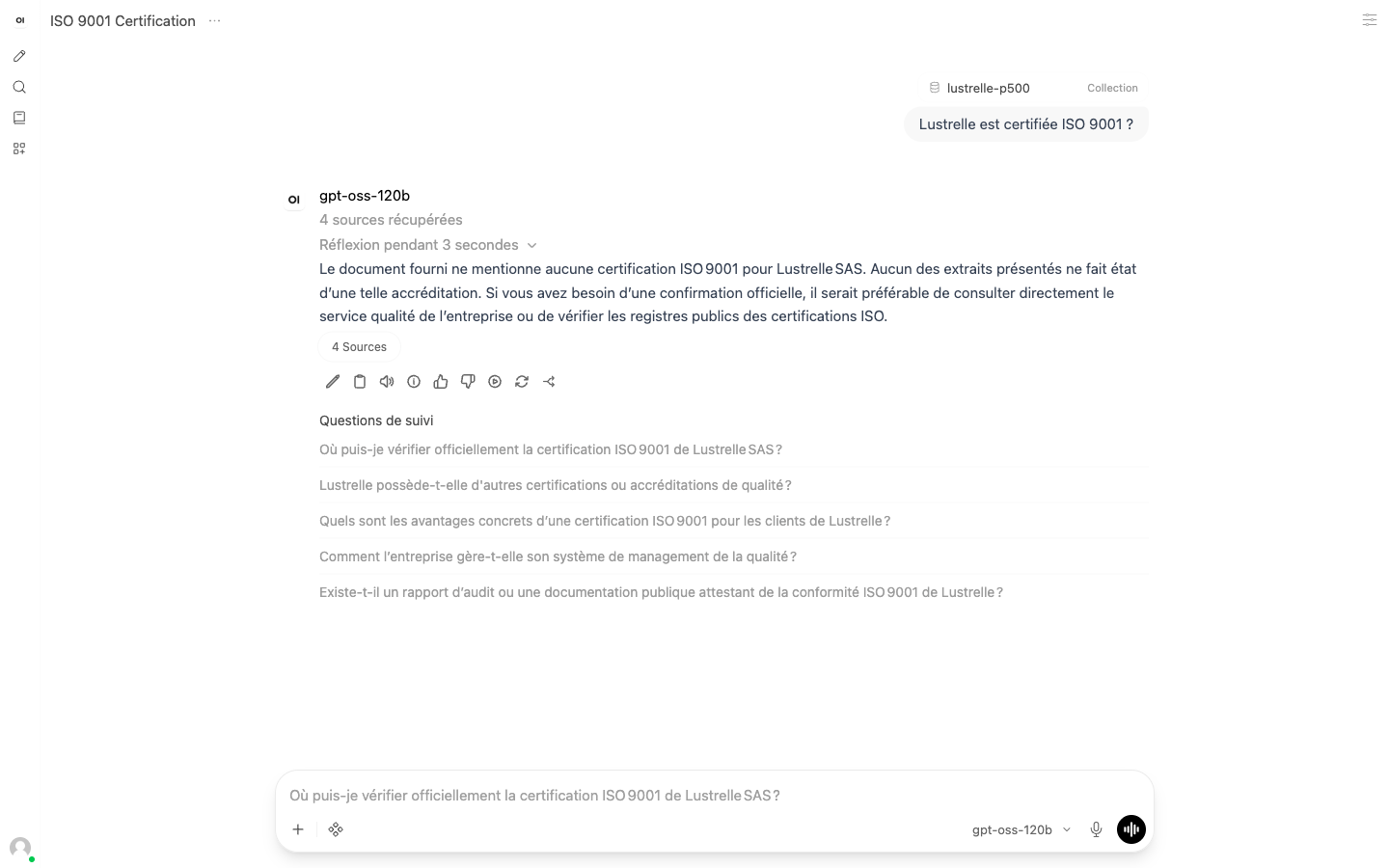
- Is Lustrelle ISO 9001 certified? Expected answer: the assistant says the documents don't mention it.
#Setting up the stack: the commands
The stack fits in three containers and two Docker networks. The first network is "internal": Docker gives it no access to the outside. The two model servers are connected only to this network. Open WebUI is connected to this internal network, to talk to the models, and to a second network, through which you open the interface in your browser.
The commands below are the ones from our tests on October 7 and 8, 2026, with simplified paths. llama.cpp (build 11430) is compiled on the machine for the GB10 chip; the build command is in the 70B tutorial in this series.
The -np 10 option opens 10 slots: ten requests can be processed at the same time (NVIDIA's llama.cpp guide uses 4 by default). The -c 131072 option sets the total context, which the slots share. Setting RAG_TOP_K to 5 retrieves five chunks per question. The OFFLINE_MODE, ANONYMIZED_TELEMETRY, DO_NOT_TRACK, and SCARF_NO_ANALYTICS variables disable Open WebUI's update checks, downloads from the internet, and telemetry. Chunking stays at the Open WebUI default, which you can adjust in its interface.
- 01Open Open WebUIGo to http://127.0.0.1:3100 and create the admin account. Select gpt-oss-120b as the model.
- 02Create a knowledge baseOpen the Knowledge section, create a knowledge base, and add your files. Open WebUI reads each file, splits it into chunks, and computes its embeddings.
- 03Query the knowledge baseIn a conversation, type the hash sign followed by the knowledge base name, then ask your question. The answer appears along with its sources.
Our measurements go through the Open WebUI API, so they can be replayed by script. Here are the same calls as in our measurement script (written in Python), transcribed with curl and jq.
#Indexing 50, 500, and 5,000 pages
Indexing means reading each file, splitting it into chunks, computing embeddings with bge-m3, and storing everything in the knowledge base. Our script sends files 4 at a time and times the run until the last file is processed. No file failed.
| Base | Files | Duration | Failures |
|---|---|---|---|
| 50 pages | 26 | 9,2 s | 0 |
| 500 pages | 114 | 46,8 s | 0 |
| 5,000 pages | 701 | 365.9 s (6.1 min) | 0 |
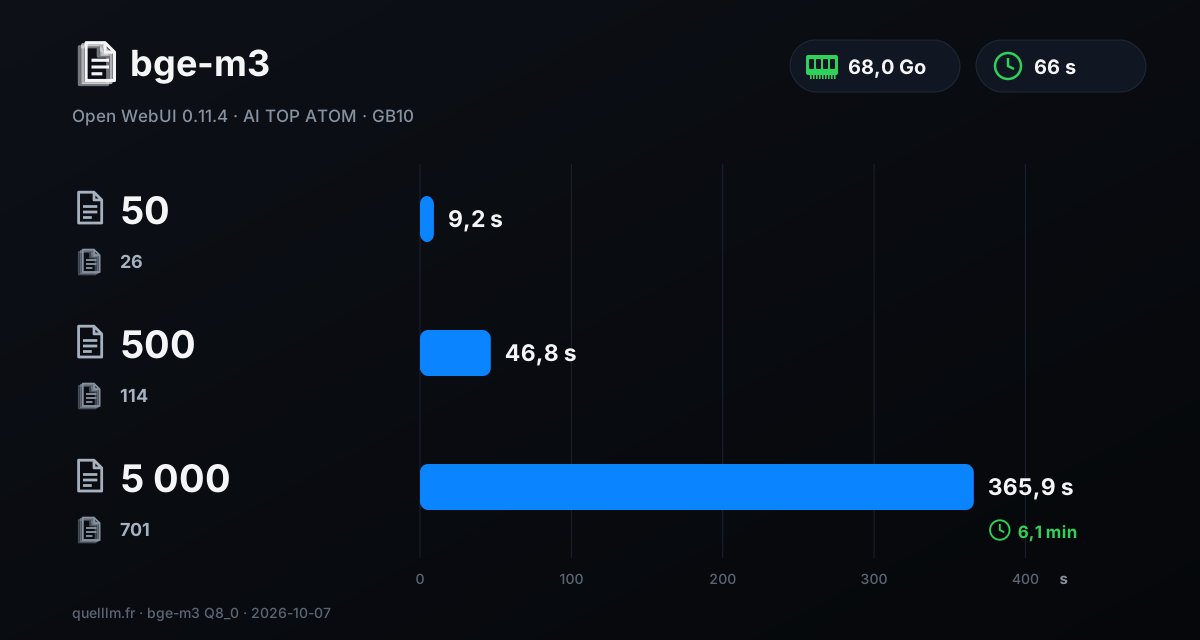
5,000 pages are ready in just over 6 minutes, or about 1.9 files per second. So reindexing a 5,000-page collection takes less than 7 minutes. During this indexing, the GPU consumed 5.4 Wh.
#Is the right document retrieved?
Before looking at response quality, you need to know whether the assistant searches in the right place. Our automated metric, “right document retrieved,” counts the questions for which at least one of the expected documents is among the sources returned by Open WebUI. It covers the 80 questions that have an answer in the documents. A script computes it; it is not a quality score and it doesn't tell you whether the response is correct.
| Base | Right document retrieved | Responses received without errors | Median answer time |
|---|---|---|---|
| 500 pages | 86% (69 of 80 questions) | 100 out of 100 | about 40 s |
| 5,000 pages | 78% (62 out of 80 questions) | 100 out of 100 | about 42 s |
With roughly six times as many files (701 vs. 114), the right document is still retrieved 78% of the time. All 100 answers from each knowledge base came back without technical errors or empty responses, each with its list of sources. That list lets you verify the answer: click the sources button and you can see which files were used.
#How many people at the same time?
We simulated 1, then 5, then 10 users querying the stack at the same time. They're on a Mac connected to the ATOM through an SSH tunnel running over Tailscale, a private network. Each user asks 6 questions in a row, with no pause between questions, and answers are streamed. We record the median time to first word and time to complete answer. Each run includes 6, 30, or 60 requests; none failed.
| Users | Base | First word | Complete answer |
|---|---|---|---|
| 1 | 500 pages | 9,0 s | 9,6 s |
| 1 | 5,000 pages | 9,9 s | 10,2 s |
| 5 | 500 pages | 33,1 s | 38,4 s |
| 5 | 5,000 pages | 39,3 s | 44,7 s |
| 10 | 500 pages | 52,4 s | 63,5 s |
| 10 | 5,000 pages | 50,2 s | 64,8 s |
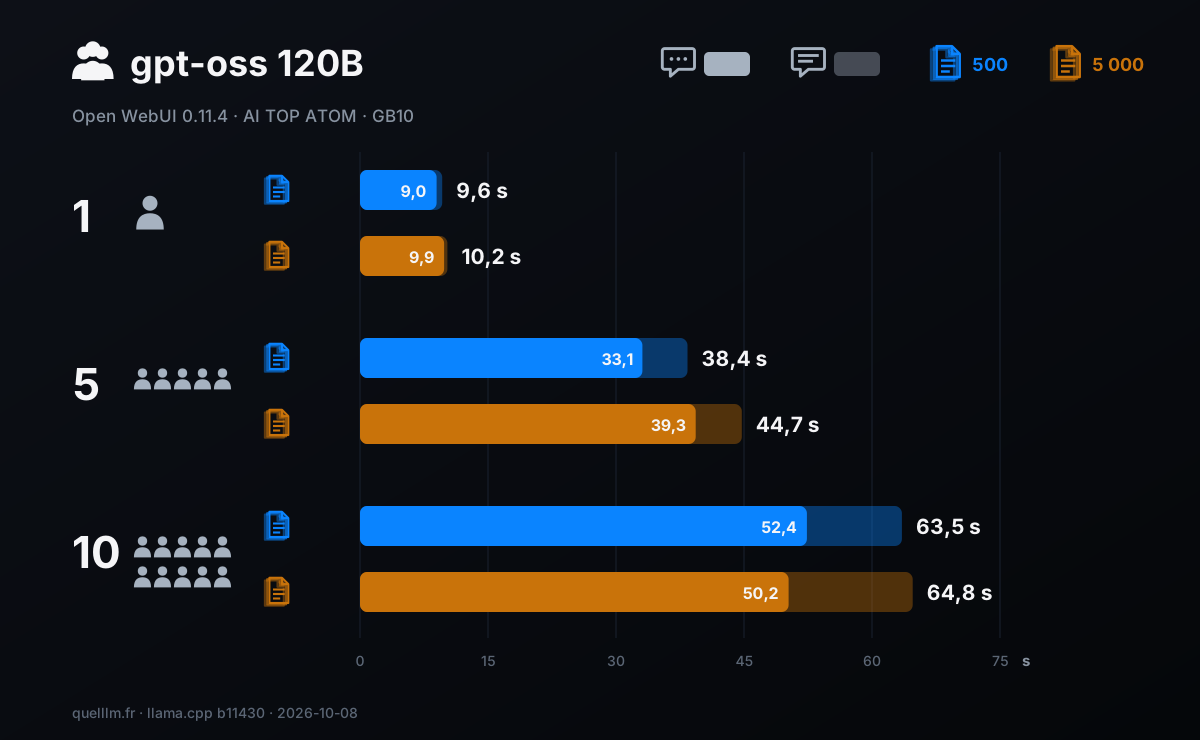
For a single user, the complete response arrives in 9.6 s on 500 pages and in 10.2 s on 5000 pages. When 5 people ask their question at the same time, the median rises to 38 s and 45 s. With 10 people, it is about a minute: 63.5 s and 64.8 s. The size of the database changes these times very little: from 500 to 5000 pages, the difference ranges from 0.6 to 6.4 seconds.
The first word arrives after gpt-oss 120B's reasoning phase: Open WebUI then shows "Thought for 6 seconds" or a similar duration. This phase comes on top of reading the chunks, and it's shared across users. Our test is demanding: each user sends questions back to back with no time to read, whereas a real person reads the answer before asking the next question.
#Sizing for 5 to 20 people
With 10 users continuously active, the stack completes 60 responses in 441 seconds on the 500-page knowledge base: about 8 responses per minute. Here is a calculation based on that measurement. A team of 20 people, each asking a question every 5 minutes on average, generates 4 questions per minute, or half that throughput. This is a ballpark figure, not a measurement: your actual usage may differ.
- Up to 5 people
- An answer in 10 s when one person is asking; about 40 s when all 5 ask in the same second.
- From 5 to 10 people
- About one minute for a complete response when all 10 are querying continuously, with no errors at all. The server is configured for 10 parallel requests.
- From 10 to 20 people
- We did not measure more than 10 concurrent users. The calculation above suggests that 20 people with typical usage stay below the measured throughput.
#Privacy: what we verified
A private assistant only makes sense if your documents stay on your premises. So we checked the network traffic. During the 200 answers, 100 on each knowledge base, we captured packets on the stack's two Docker networks with tcpdump, then listed every address observed.
Result: no container in the stack sent a packet to an external address. The only addresses observed were those of the containers and the host machine's gateway, plus multicast and local broadcast addresses (local network discovery messages). Open WebUI is connected to an access network, yet no external address shows up. The two model servers sit on a network that Docker isolates from the outside.
#Energy: 0.15 Wh per answer
We recorded GPU power once per second during the 100 answers for each knowledge base, 4 questions at a time. On 500 pages, the GPU worked for 18.0 minutes at an average of 50.5 W, peaking at 68.1 W: 15.2 Wh, or 0.15 Wh per answer. On 5,000 pages, 50.7 W and 15.4 Wh: the same result, 0.15 Wh per answer.
| Situation | Duration | Average GPU power | GPU energy |
|---|---|---|---|
| Idle, no tasks | 30 min | 10,4 W | — |
| 100 answers, 500-page knowledge base, 4 at a time | 18.0 min | 50,5 W | 15.2 Wh, or 0.15 Wh per response |
| 100 answers, 5,000-page knowledge base, 4 at a time | 18.2 min | 50,7 W | 15.4 Wh, or 0.15 Wh per response |
| Indexing the 5,000 pages | 6.1 min | 53,2 W | 5.4 Wh |
At the EDF Tarif Bleu Base rate (20.01 cents per kWh including VAT, rates in effect as of August 1, 2026, subscription fee not included), 1,000 answers come to 0.15 kWh, or 3 cents. These figures cover only the GPU, as reported by the chip: according to NVIDIA, the power shown by nvidia-smi is for the GPU alone. The CPU, memory, SSD, and power supply aren't included. Another guide in the series covers power consumption over time.
#Answer quality, graded one by one
An automated metric can't tell you whether an answer is correct. So the 100 answers from the 500-page knowledge base were graded one by one. At the author's request, this grading was done by Claude, Anthropic's AI model, not by the model generating the answers (gpt-oss 120B).
For each question, Claude had the expected answer, the source document, and the rubric below. Scores range from 0 to 2 and assess substance (numbers, dates, names, conditions), not wording. A missing source doesn't change the score; when in doubt, the lower score is used.
| Note | Question with an answer in the documents | Question with no answer in the documents |
|---|---|---|
| 2 | Correct and complete: the key information is accurate, and nothing false is added. | The assistant says it can't find the information in the documents, without making anything up. |
| 1 | Partial or incomplete: the gist is correct, but an important element is missing or a secondary detail is wrong. | It hedges or misses the point, without making up an answer. |
| 0 | Wrong or made up: the main information is wrong, contradicts the documents, or is unrelated. | It makes up an answer: a number, date, name, or rule that isn't in the documents. |
| Question type | Questions | Score | Correct and complete |
|---|---|---|---|
| Synthesis: cross-referencing multiple documents | 10 | 95 % | 9 |
| Specific fact | 50 | 80 % | 38 |
| Number or calculation | 10 | 80 % | 8 |
| Procedure: all steps and all deadlines | 10 | 60 % | 3 |
| No answer in the documents | 20 | 68 % | 12 |
| Ensemble | 100 | 77 % | 70 |
Synthesis questions require cross-referencing several documents and applying the most recent rule. The assistant answers them correctly and completely 9 times out of 10. Most wrong answers come from document retrieval, not from answer generation.
When an expected document is among the sources (69 of 80 questions), 57 answers are correct and complete, and the score reaches 88%. When it's missing (11 questions), the answer is usually wrong. Retrieval depends on Open WebUI's settings (document chunking, number of chunks), which we didn't vary: that's the first lever to adjust on your setup.
Of the 20 questions whose answer is not in the documents, the assistant clearly says so 12 times. In 5 cases, it adds information that doesn't come from them: a numerical estimate, a mix-up between two concepts, or a misattributed number. Opening the sources shown below the response lets you spot these cases.
Each score is published with its justification, the question, and the expected answer, in a CSV file on our data page. The 100 responses on the 5,000-page knowledge base are not scored: only the “right document retrieved” metric applies to them.
#Who ATOM is the right choice for
- An SMB of 5 to 20 people that wants an assistant for its documents
- Everything fits on one machine: 68 GB of memory, 66 seconds to start up, 5,000 pages indexed in 6 minutes, and a response in 10 seconds when one person is querying.
- A firm or department that handles sensitive documents
- During our 200 responses, no packets left for the outside. In our setup, the documents stay on the machine.
- A team that wants to share an assistant
- All 10 continuously active users got their answers in about one minute, with zero errors.
- An integrator or an IT department
- The stack is built on open components: Docker, Open WebUI, llama.cpp, and open-weight models; only the driver, CUDA, and the NVIDIA containers are proprietary. Open WebUI also provides an API your software can call.
Let's separate the platform from the manufacturer. The NVIDIA GB10 chip is what makes these results possible: its 128 GB of unified memory holds a 117-billion-parameter model (gpt-oss 120B) along with its context and an embedding model, and its rated bandwidth is 273 GB/s.
GIGABYTE supplies its own one-liter chassis (1.2 kg) and dual-fan cooling: during the 100 answers on 5,000 pages, the GPU averaged 66 °C and peaked at 72 °C, with no throttling reported.
Prices checked on October 8, 2026 for the ATAGB10-9001 (128 GB, 4 TB PCIe 4.0 SSD): €6,346.27 including tax at the official AORUS store, where it was sold out; it was in stock on Amazon.fr. We measured the ATAGB10-9000 model, whose SSD is PCIe 5.0. GB10 prices change every week: check them before you buy.
#What we did not measure
- Human grading
- The answers were scored by Claude, an AI model, not by a person. The 5,000-page knowledge base is not scored. Each score is published with its rationale so you can check it.
- Real documents
- Our corpus is fictional, written in French, in Markdown and plain-text formats. PDFs, Word documents, scans, and tables are not measured.
- More than 10 users
- The server is configured for 10 parallel requests. We did not measure beyond that, nor with separate accounts: a single test account was used.
- Other settings
- We didn't vary chunking (the Open WebUI default) or the number of chunks (fixed at 5). Other settings may change how often the right document is retrieved.
- Energy
- It covers the GPU only.
Updates and corrections: response scoring added on October 8, 2026; every correction will be dated.
#FAQ
How many people can use the assistant at the same time?+
Do my documents leave the machine?+
How many pages can you index, and how long does it take?+
Do you need the 128 GB version of the ATOM?+
How do you verify an answer from the assistant?+
How much electricity does an answer cost?+
Feedback, an error, or a clarification? Let us know—it improves the guide for everyone.