ASUS Ascent GX10: ASUS's DGX Spark in details
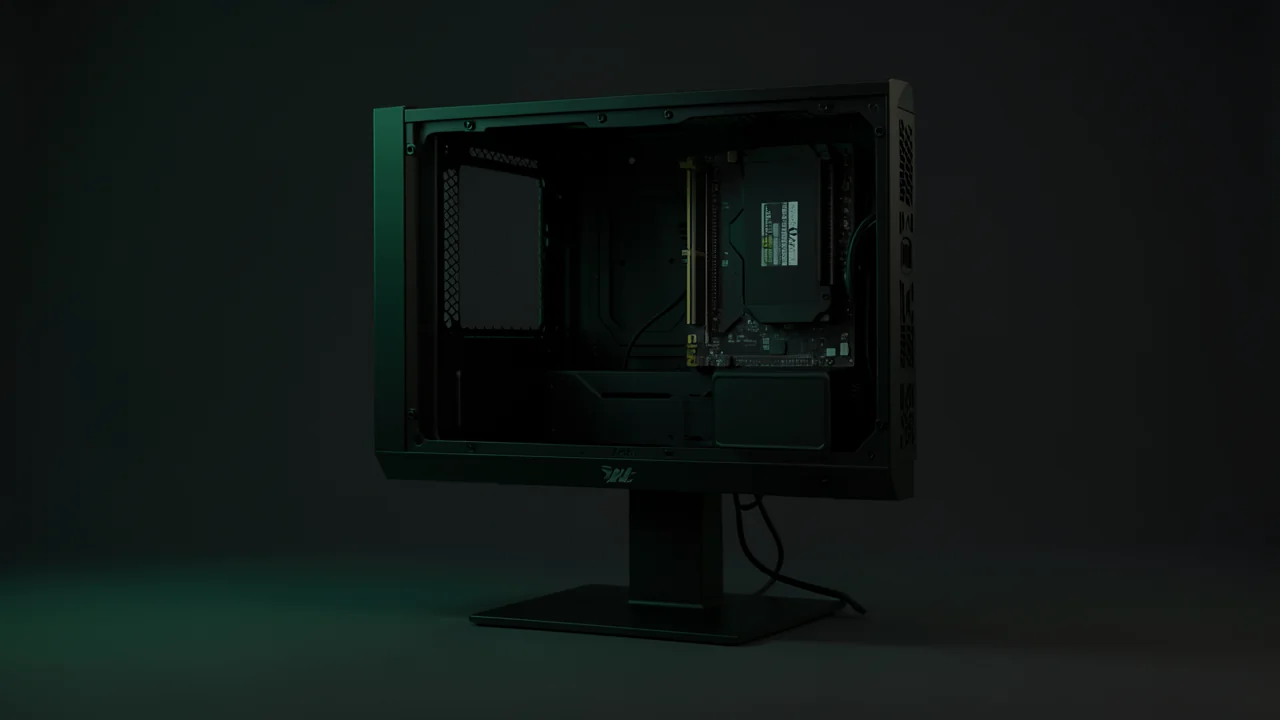
The ASUS Ascent GX10 is ASUS's version of the NVIDIA DGX Spark: same GB10 chip, same Linux-based DGX OS, 273 GB/s of memory bandwidth. It comes in 128 GB (since October 15, 2025) and 64 GB (announced October 28, 2026) versions. It stands apart through its storage (1, 2, or 4 TB) and its cooling. ASUS doesn't show a price on its French page; NVIDIA lists partners' 64 GB DGX Spark systems starting at $4,999.
The ASUS Ascent GX10 is a 15 cm square mini PC designed to run AI models locally, without the cloud. You'll learn what it shares with NVIDIA's DGX Spark, which memory version to choose, which official prices are known as of November 18, 2026, what an independent lab measured, and how to get started.
Choosing a machine? Our picks by budget → · Our spec sheet NVIDIA DGX Spark →
Good value for local AI: a GMKtec EVO-X2 — Amazon may show another configuration; check before buying.
A mini PC is a complete machine: check the available memory and engine compatibility. It does not replace macOS/MLX or CUDA.
Compare all options by budget, from €800 to €3,500 →
Small budget: RTX 5060 · Large models: RTX 5090 · Mac Studio.
On the go: which laptop for local AI →
Affiliate links — commission possible at no extra cost to you. As an Amazon Associate, BestLLMfor earns from qualifying purchases.
Amazon may redirect you to a local store or show another configuration. Check the listing before buying; this link does not guarantee the destination or configuration.
#What is the ASUS Ascent GX10?
The ASUS Ascent GX10 is a mini PC built on the NVIDIA DGX Spark platform: a GB10 chip that combines an Arm CPU and a Blackwell GPU around unified memory. On October 14, 2025, ASUS announced availability starting October 15, 2025.
The GB10 chip is a "superchip": the CPU and GPU share the same memory pool, instead of system RAM on one side and limited VRAM on the other. According to ASUS's spec sheet, the CPU has 20 Arm cores (10 Cortex-X925 and 10 Cortex-A725), and the memory is LPDDR5X-8533, in 64 GB or 128 GB.
According to ASUS's press release, the 128 GB Ascent GX10 lets you work with models of up to 200 billion parameters, and two units linked through their ConnectX-7 ports reach 256 GB of unified memory, a claimed 2 petaflops, and 8 TB of storage. Per ASUS's footnote, the claimed petaflop figure refers to FP4 compute with sparsity: it is not a text generation throughput.
- GB10
- NVIDIA Grace Blackwell chip that pairs a 20-core Arm CPU and a Blackwell GPU with shared memory.
- DGX OS
- NVIDIA's operating system, an Ubuntu-based Linux distribution that ships with NVIDIA's AI software stack.
- ConnectX-7
- Built-in high-speed network card used to link two GB10 machines and pool their memory.
#ASUS Ascent GX10 or DGX Spark Founders Edition: what's different?
The ASUS Ascent GX10 and the NVIDIA DGX Spark Founders Edition share the same chip, the same 273 GB/s memory bandwidth, and the same DGX OS; they differ in chassis, cooling, storage options, and vendor. StorageReview's benchmark, published March 3, 2026, concludes that performance differences between GB10 systems are marginal: the choice comes down to storage, cooling, form factor, and manufacturer.
| Feature | ASUS Ascent GX10 | NVIDIA DGX Spark Founders Edition |
|---|---|---|
| Chip | NVIDIA GB10, 20 Arm cores | NVIDIA GB10, 20 Arm cores |
| Memory | 64 GB or 128 GB LPDDR5X | 128 GB (the 64 GB version is only available from partners) |
| Memory bandwidth | 273 GB/s | 273 GB/s |
| Storage | 1 TB or 2 TB PCIe 4.0, 4 TB PCIe 5.0, a single M.2 2242 slot | Up to 4 TB with automatic encryption |
| Network | 10 GbE, ConnectX-7, Wi-Fi 7, Bluetooth 5.4 | 10 GbE, 200 Gbit/s ConnectX-7, Wi-Fi 7, Bluetooth 5.4 |
| Video and USB ports | 3 USB-C 20 Gbps ports with DisplayPort, 1 USB-C power port, 1 HDMI 2.1a | 4 USB-C, 1 HDMI 2.1a |
| Power supply | 240 W USB-C power adapter, 180 W maximum for the device | 240 W power brick |
| Dimensions and weight | 150 x 150 x 51 mm, 1.48 kg | 150 x 150 x 50.5 mm, 1.2 kg |
| System | NVIDIA DGX OS | NVIDIA DGX OS |
| Official list price | Not published by ASUS on its French page | Set by NVIDIA (see the pricing section) |
According to ASUS, the ASUS Ascent GX10's cooling relies on 7-level fan control, wide fins, five heat pipes, and two 140 x 80 mm fans that draw in air from underneath.
#ASUS Ascent GX10 64 GB or 128 GB: which version should you choose?
Choose the 128 GB ASUS Ascent GX10 if you're targeting models with more than 40 GB of weights, such as gpt-oss 120B; the 64 GB version is enough for models with 27 to 35 billion parameters. ASUS itself sizes the 64 GB version for open-source models with 30 to 35 billion parameters, in its October 28, 2026 press release.
According to ASUS, the 64 GB version keeps the same chip and the same 273 GB/s bandwidth: for a model that fits in its memory, generation speed should therefore match the 128 GB version (an inference; no side-by-side measurements have been published). NVIDIA claims up to 100 billion parameters for the 64 GB configuration; in FP4, at 4 bits per parameter, 100 billion parameters come to about 50 GB of weights (calculated), before the OS and context.
| Your needs | Weight memory | Recommended version |
|---|---|---|
| Assistant or agent with Qwen 3.8 27B | About 16 GB at Q4 | 64 GB is enough, with headroom for a long context |
| gpt-oss 20B for code or an agent | About 13 GB at Q4 | 64 GB |
| gpt-oss 120B | 65 GB according to the Ollama library | 128 GB required |
| Qwen3.8 Flash Next 125B-A6B | About 72 GB at Q4 | 128 GB, or two linked 64 GB GX10 units |
| Fine-tuning mid-size models | Weights, gradients, and data in memory | 128 GB |
| Several models loaded at the same time | Sum of weights and contexts | 128 GB |
#How much does the ASUS Ascent GX10 cost in November 2026?
ASUS doesn't list a public price for the Ascent GX10 on its French page as of November 18, 2026; the price depends on the configuration and the reseller. In its February 2026 announcement, NVIDIA states that pricing questions about its partners' GB10 machines should be directed to the manufacturer.
The only official reference points concern the platform. In February 2026, NVIDIA raised the suggested price of the DGX Spark Founders Edition from $3,999 to $4,699, citing the memory shortage. According to The Register, on October 2, 2026, this 128 GB model went up to $6,950. NVIDIA's blog from the same day announced the 64 GB version, sold by Acer, ASUS, Dell, Gigabyte, HP, and MSI starting October 23, 2026, "starting at $4,999."
For France, availability of the 64 GB version had not been confirmed as of November 18, 2026: ASUS's October 28, 2026 press release mentions preorders for the GX10-GG0062BN model (64 GB, 1 TB) through initial partners in Germany, Austria, and Switzerland. The 128 GB version is listed on ASUS's French website.
#What LLM performance can you expect from the Ascent GX10?
On the ASUS Ascent GX10, StorageReview measured 70 tokens per second under vLLM with gpt-oss 120B for a single request under a balanced workload, and 680 tokens per second with 64 concurrent requests. These figures come from the test published March 3, 2026, on the 128 GB unit fitted with a 1 TB SSD.
| Model and scenario | 1 request | 64 concurrent requests |
|---|---|---|
| gpt-oss 120B, balanced input and output | 70 tok/s | 680 tok/s |
| gpt-oss 120B, generation-heavy | 45 tok/s | 260 tok/s |
These values are total throughput figures from the vLLM benchmark, which mixes prompt processing and generation, so you can't compare them directly with the speed Ollama shows in a chat. gpt-oss 120B is a mixture-of-experts (MoE) model that activates only part of its weights for each token, which explains its high throughput for its size.
For a dense model, you can estimate the order of magnitude from memory bandwidth. This is an estimate, not a measurement: Qwen 3.8 27B weighs about 16 GB in Q4, so 273 GB/s divided by 16 GB gives a theoretical ceiling of about 17 tokens per second for generation. Actual throughput stays below this ceiling.
#What are the limitations of the ASUS Ascent GX10?
The ASUS Ascent GX10 is a Linux machine with an Arm processor, not a Windows PC: ASUS lists only NVIDIA DGX OS as the operating system. Software must be available in a Linux Arm version, which is the case for Ollama, PyTorch, and Jupyter, cited by ASUS, but not for all consumer software or games.
- A single M.2 slot
- The ASUS spec sheet lists a single slot, up to 4 TB. With models of 60 GB and up, the 1 TB version fills up fast.
- Slower 1 TB SSD
- StorageReview found a 1 TB PCIe 4.0 Phison SSD in its unit, which posted the slowest writes in its GB10 lineup.
- Peak temperatures
- StorageReview recorded a CPU peak of 87.3 °C during the intensive prompt-processing phase, before it stabilized, with no thermal runaway observed.
For office work, gaming, or content creation on Windows, the same GB10 chip also powers RTX Spark PCs, a separate NVIDIA lineup, according to The Register. The Ascent GX10 remains an AI development workstation, often controlled remotely from another computer on the local network.
#How do you get started with an LLM on the ASUS Ascent GX10?
To get an LLM running on the ASUS Ascent GX10, complete the DGX OS first-boot wizard, then launch a model with Ollama, which ASUS's French page lists among the supported tools. The procedure below follows NVIDIA's DGX Spark user guide; the quick start guide ASUS includes in the box is authoritative for your machine.
- 01Connect peripherals before powerAccording to the NVIDIA DGX Spark documentation, the machine boots as soon as it receives power: connect the monitor, keyboard, mouse, and network cable before the power adapter.
- 02Choose setup with a monitor or over the networkWith a monitor, the setup wizard appears directly. Without a monitor, the machine creates a Wi-Fi hotspot whose name and password are printed in the quick start guide; you connect another computer to it to follow the wizard in a browser.
- 03Let the updates finishThe wizard sets the language, time zone, and user account, then downloads updates. NVIDIA warns that you must not power off or restart during this step, or you risk damaging the system.
- 04Check for or install OllamaOpen a terminal. If the ollama command isn't found, install it with the official script shown on Ollama's Linux page, below.
- 05Download and run a modelOn the 128 GB version, gpt-oss 120B (65 GB) fits in memory; on the 64 GB version, go with gpt-oss 20B or Qwen 3.8 27B instead. The first run downloads the weights.
- 06Verify that everything worksAsk a short question in the terminal: a coherent answer confirms the model is loaded. The Ollama server then listens by default on localhost, port 11434, for your applications.
#Is the ASUS Ascent GX10 right for you?
The ASUS Ascent GX10 suits you if you want CUDA, the NVIDIA software stack, and plenty of memory in a small chassis to develop, fine-tune, or serve models locally. It's a poorer fit if you're looking for a general-purpose computer, Windows, or the best price per gigabyte of memory.
- You develop for NVIDIA servers
- The GX10 uses DGX OS and the CUDA stack from DGX platforms: code you write on it carries over to the servers.
- You want gpt-oss 120B or a 70 GB model on your desk
- 128 GB version.
- You want a private agent with a 27 to 35 billion parameter model
- 64 GB version, if it's available where you are.
- You want 128 GB without CUDA, on Windows or Linux
- Mini PCs with the AMD Ryzen AI Max+ 395 (Strix Halo) also support 128 GB, as LPDDR5x-8000 on a 256-bit bus according to AMD, which works out to about 256 GB/s; The Register found the GB10's GPU significantly faster for AI in its tests. The site's comparison covers this trade-off in detail.
Is the ASUS Ascent GX10 a real DGX Spark?+
Does the ASUS Ascent GX10 run Windows?+
Can you connect two ASUS Ascent GX10 units?+
Does Ollama run on the ASUS Ascent GX10?+
Can you replace the SSD in the ASUS Ascent GX10?+
#Sources and verification as of November 18, 2026
The specs, dates, and prices in this guide were collected on November 18, 2026 from the ASUS and NVIDIA pages; performance figures come from StorageReview's review, and the commands from the Ollama documentation. GB10 machine prices changed several times in 2026 and may change again.
- Source: ASUS Ascent GX10 spec sheet (ASUS)
- Source: availability press release from October 14, 2025 (ASUS)
- Source: GX10 64 GB announcement of October 28, 2026 (ASUS DACH)
- Source: DGX Spark specifications (NVIDIA)
- Source: DGX Spark price change, February 2026 (NVIDIA)
- Source: DGX Spark 64 GB, October 2, 2026 (NVIDIA blog)
- Source: DGX Spark 128 GB pricing in October 2026 (The Register)
- Source: ASUS Ascent GX10 review (StorageReview)
- Source: DGX Spark first boot (NVIDIA documentation)
- Source: gpt-oss in the Ollama library
- Source: Ryzen AI Max+ 395 specifications (AMD)
Feedback, an error, or a clarification? Let us know—it improves the guide for everyone.