Stable Diffusion Forge: Install and Configure l'interface
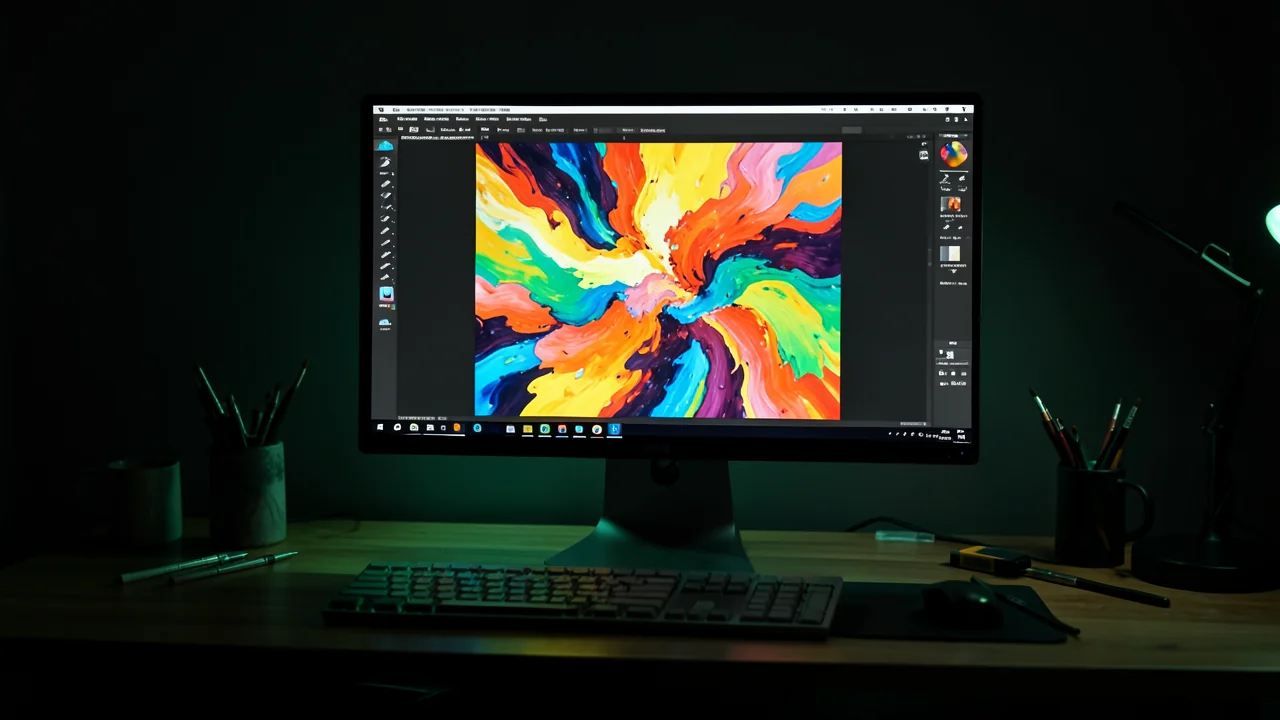
Stable Diffusion Forge, or Stable Diffusion WebUI Forge, takes AUTOMATIC1111's tabbed interface and adds reworked video memory management and Flux support. This guide explains how to install it on Windows or Linux, where to put your models, which memory settings to adjust for your graphics card, and what to choose if the original repository is no longer active. The information on repository status comes from QuelLLM's review in late September 2026: double-check it on GitHub before installing.
#What is Stable Diffusion Forge?
Forge is a fork of Stable Diffusion WebUI, the interface better known as AUTOMATIC1111 or A1111. It is published by lllyasviel, the author of ControlNet and Fooocus, on GitHub: github.com/lllyasviel/stable-diffusion-webui-forge. The name comes from Minecraft Forge: the idea is to serve as a common base that extensions can plug into more easily.
From the user's perspective, Forge looks nearly identical to A1111: the same txt2img and img2img tabs, the same prompt fields, the same sampler list, and the same local address in the browser (http://127.0.0.1:7860 by default). The difference is under the hood. Forge replaces the model and memory management engine, which, according to its README, lets it make better use of modest graphics cards and load model families that A1111 can't read, most notably Flux.
- License
- AGPL-3.0, like AUTOMATIC1111, from which it derives. Personal and local use comes with no particular restrictions; the license mainly requires you to publish your modifications if you offer the modified interface as a network service.
- Supported models
- Stable Diffusion 1.5, SDXL and its derivatives (Pony, Illustrious, etc.), and Flux in its full, NF4-quantized, or GGUF versions, according to the repository's announcements.
- Operating systems
- Windows and Linux with a NVIDIA card are the best-covered setups. AMD, Intel and Mac rely on the same workarounds as A1111 and are far less documented.
- Pricing
- Free. Nothing is sent online during generation: the Internet is only used to download the interface, dependencies, and models.
#Stable Diffusion Forge in 2026: check its maintenance status
Benefit from our experience and a guided path to get comfortable with your tools and create your images locally.
- Lifetime online access
- PDF + files
- Refunded within 30 days
This is the first thing to check. When QuelLLM reviewed it in late September 2026 for its AUTOMATIC1111 guide, the main branch of lllyasviel's repository hadn't received a commit since June 2025. The README also states that the original A1111 project is "almost static now" and that Forge resyncs with it "every 90 days, or when important fixes". In other words: Forge works, but it no longer keeps pace with new models.
Development is now carried on by community forks. At the time of our survey, the most widely followed was Forge Neo, published by Haoming02. Its README lists support for recent models such as Qwen-Image, Wan 2.2, and Z-Image, and it was still receiving updates in late September 2026. Other variants have existed, including reForge, and some of them have slowed down or stopped. Things change quickly, so don't treat this list as settled.
- 01Open the commits tabOn the repository's GitHub page, click the commit counter and check the date of the most recent commit on the default branch. If there has been no activity for more than six months, new models and new graphics cards probably won't be supported.
- 02Read recent issuesFilter open issues by date. If you see a string of unanswered reports about your card (an RTX 50, for example) or a model you want to use, you'll be on your own to work around the problem.
- 03Check the READMEMaintainers often announce that a project is being discontinued or handed off at the top of the README. That's the source to cite, not a Reddit thread.
#Forge vs. AUTOMATIC1111: the differences that matter
If you already know A1111, you won't need to relearn anything on the interface side. The differences are in memory, models and extensions. Installation details and A1111-specific settings are covered in our dedicated guide; here, we cover only what changes when you switch to Forge.
- Memory management
- A1111 requires you to manually choose --medvram, --medvram-sdxl, or --lowvram. Forge handles model offloading automatically and exposes a direct setting in the interface (GPU Weights). The --medvram and --lowvram options no longer play the role they did in A1111: don't copy them from an old tutorial.
- Flux
- Not supported by A1111. Forge supports it, including in compressed formats (NF4, GGUF) designed for cards with limited memory.
- Profile bar at the top
- Forge adds an interface selector at the top of the page (sd, xl, flux, all) that adjusts the default settings to the model family, plus the memory sliders.
- Extensions
- Most A1111 extensions work, but not all: those that modify the internal engine may break. ControlNet is built directly into Forge, so there's no need to install the separate extension.
- Update frequency
- A1111: the latest release, 1.10.1, came out in February 2025. Forge (original repository): no commits on the main branch since June 2025, as of our September 2026 check. Neither one supports models released since then.
According to its own README, Forge delivers faster generation and better memory handling than A1111. QuelLLM has not measured this gap: it depends on the card, the model, the resolution and the active extensions. If speed matters to you, compare on your own machine using the same prompt, the same seed and the same number of steps.
#Prerequisites
- Graphics card
- NVIDIA recommended. The practical guidelines match A1111's, with a bit more headroom: 4 GB of VRAM for Stable Diffusion 1.5, 8 GB for SDXL, and 12 GB or more for SDXL with LoRA, ControlNet and upscaling. A 12 GB RTX 3060 is still a good entry-level card. For Flux, see our FLUX guide: requirements depend heavily on the format you choose.
- RAM
- 16 GB is a comfortable minimum, 32 GB if you plan to use Flux: when VRAM runs short, Forge moves part of the weights to RAM.
- Disk
- Around ten gigabytes for the interface and PyTorch, then 2 to more than 20 GB per model depending on the family. An SSD significantly reduces load times.
- Software (Git installation)
- Git and Python 3.10 (the version expected by the A1111 codebase). Not needed if you use the all-in-one archive on Windows, which bundles its own Python.
- Driver
- A recent NVIDIA driver, compatible with the CUDA version bundled with PyTorch.
#Installing Stable Diffusion Forge step by step
Two methods: the all-in-one package for Windows, which is the simplest, or Git cloning, which works on both Windows and Linux and makes updates easier. The exact package names change between versions: use the ones shown in the README when you install.
#Method 1: the all-in-one archive (Windows)
- 01Download the archiveIn the Installing Forge section of the README, choose the archive marked as recommended (it lists the bundled CUDA and PyTorch versions). It's a .7z file several gigabytes in size.
- 02Extract to a short pathFor example C:\forge, with no spaces or accented characters. Long or accented paths are a classic cause of failure on Windows. Use 7-Zip to extract.
- 03Run update.batThis script pulls the latest fixes from the repository. The README emphasizes this step: don't skip it, because the archive may be older than the code.
- 04Run run.batThe first launch installs the remaining dependencies and then opens the interface in your browser. If it doesn't, open the address shown in the console yourself, usually http://127.0.0.1:7860.
#Method 2: Git cloning (Windows or Linux)
The first launch creates a virtual environment and downloads PyTorch and the dependencies: expect anywhere from ten minutes to half an hour depending on your connection. Subsequent launches take from a few seconds to a minute. To update a Git installation, a git pull in the folder is all you need; on a frozen repository, nothing will simply happen.
Launch options go on the COMMANDLINE_ARGS line in webui-user.bat (Windows) or webui-user.sh (Linux), exactly as with A1111. For example, to open the browser automatically:
#Where to put models (and share them with A1111)
The folder structure mirrors A1111's. A misplaced file simply doesn't show up in the lists: that's the first thing to check when a model is "missing".
- models/Stable-diffusion
- Checkpoints: SD 1.5, SDXL and derivatives, as well as full or quantized Flux files (NF4, GGUF).
- models/VAE
- Separate VAEs, including Flux's (ae.safetensors) when the checkpoint doesn't include one.
- models/text_encoder
- Flux text encoders (CLIP-L and T5-XXL) when they are provided separately. Then select them in the VAE / Text Encoder field at the top of the interface.
- models/Lora
- LoRAs, invoked in the prompt or from their dedicated tab.
- models/ControlNet
- ControlNet models, used by the built-in module.
- models/ESRGAN
- Upscaling models (upscalers).
If you already have a well-stocked A1111 install, there's no need to duplicate dozens of gigabytes. The folder options inherited from A1111 work: specify the paths to your existing models on the COMMANDLINE_ARGS line. Forge's webui-user.bat file also contains a commented-out example for pointing to a full A1111 folder: uncomment it and adjust the path.
Use the .safetensors format instead of .ckpt or .pt. The latter rely on Python's pickle format, which can execute code when loaded. Download models from Hugging Face or the creators' pages, and read their licenses: Flux Dev, for example, doesn't allow all commercial uses.
#Configuring memory in Stable Diffusion Forge
This is Forge's whole reason for existing. By default, it estimates on its own what fits in VRAM and offloads the rest. In most cases, leave everything alone: generate an image, check the console, and only adjust things if you notice a problem.
- GPU Weights (MB)
- The slider at the top of the interface sets how much VRAM is reserved for the model weights. The rest is used for computation. If it's set too high, generation runs short of working memory and slows down dramatically or crashes. If it's set too low, Forge moves more weights in from RAM, which also slows things down. Lower it step by step if you see memory errors or a sudden slowdown at the end of generation.
- Swap Method
- Queue or Async (asynchronous): how weights are moved between RAM and VRAM. Async can be faster but less stable depending on the machine. Try Queue first.
- Swap Location
- CPU or Shared: where offloaded weights go. Shared uses the driver's shared memory and can speed up transfers, at the cost of variable stability.
- Diffusion in Low Bits
- The numeric format used for the diffusion model (automatic, NF4, FP8…). Useful for Flux on an 8 to 12 GB card; no noticeable effect on SD 1.5.
Forge also accepts advanced launch options, listed in its README, such as --cuda-malloc, --cuda-stream, or --pin-shared-memory. According to the README, they may speed up generation on some machines but cause crashes on others. Add only one at a time to the COMMANDLINE_ARGS line, and remove it as soon as you notice any unusual behavior.
- 01Start from the default settingsChoose the profile (sd, xl, or flux) that matches the loaded model, leave GPU Weights at its suggested value, and generate an image at the model's native resolution (512 for SD 1.5, 1024 for SDXL and Flux).
- 02Read the consoleThis is where Forge shows what it loads into VRAM and what it leaves in RAM. Repeated unloading messages on every image mean that your card is barely large enough.
- 03Adjust only one settingIf you get a memory error, lower GPU Weights first, then the resolution, then switch to a more compact format (NF4 or GGUF for Flux). Record each attempt so you know what actually made a difference.
- 04Close other apps using VRAMA hardware-accelerated browser, a game, or an LLM loaded in Ollama all take up VRAM. By default, Ollama keeps the model in memory for a few minutes after the last request, so unload it before an image session.
#Common errors
- CUDA out of memory
- The combination of model + resolution + extensions exceeds your VRAM. Lower GPU Weights, the resolution or the batch size, switch to a quantized version of the model, and close other GPU applications.
- no kernel image is available for execution
- The installed PyTorch doesn't recognize your card, which typically happens with RTX 50 cards and an old archive. For a lasting fix, use a maintained fork or ComfyUI.
- The model does not appear
- Wrong folder, or the list hasn't been refreshed: click the refresh button next to the checkpoint selector. For Flux, also check the VAE and the text encoders.
- Black or gray image with Flux
- Usually a VAE or text encoder that is missing or incompatible with the selected checkpoint. Check the model page: some files bundle everything, others don't.
- An A1111 extension breaks the interface
- Launch Forge with third-party extensions disabled (the --disable-all-extensions option), then re-enable them one at a time. Extensions that touch the generation engine are the most fragile.
- Python errors on first launch
- Wrong Python version (Forge expects 3.10, inherited from the A1111 codebase), or an install path containing spaces or accented characters. Delete the venv folder and relaunch once you've fixed the issue.
#Stable Diffusion Forge or its alternatives: Forge Neo, ComfyUI, Fooocus
Forge is still a good choice if you work with SD 1.5, SDXL or Flux, you're happy with the tabbed interface, and your card is supported by the available package. Otherwise, the right choice depends on what you want to generate.
- Forge Neo
- Same interface, with a more active community repository as of the September 2026 check and announced support for newer models. Prefer it for a fresh A1111-style install, after checking that it's still active. Its README details its own installation procedure, which differs from the original repository's.
- ComfyUI
- The tool where new image and video models usually land first, with reproducible workflows. It has a node-based interface that's harder to learn. It's the right choice for FLUX.2, Qwen-Image, video, or anything recent.
- Fooocus
- The simplest option: a text field and a button. Limited to SDXL and only minimally maintained. Good for getting started, not for keeping up with new releases.
- AUTOMATIC1111
- Useful only if you're following a tutorial or using an extension written for it. Otherwise, Forge or one of its forks can replace it without changing how you work.
You can keep several interfaces side by side by sharing the same model folders (folder options in Forge, the extra_model_paths.yaml file in ComfyUI). Only each installation's own disk footprint, mostly PyTorch, is duplicated.
#Go further
- AUTOMATIC1111: install Stable Diffusion WebUI
- The original Forge interface: installation, launch options by VRAM, extensions, and model safety.
- Stable Diffusion locally: installation and models
- The big picture: which version of Stable Diffusion to choose, what hardware, which licenses.
- ComfyUI: installation and getting started
- The alternative to watch for recent models, video, and reproducible workflows.
- Fooocus: install the free AI image generator
- The simplest option for getting started with SDXL without tuning memory.
Sources: Forge GitHub repository (github.com/lllyasviel/stable-diffusion-webui-forge) and Haoming02's Forge Neo repository, checked by QuelLLM in late September 2026. The archive names, options, and settings cited here were not re-verified on the publication date: refer to the current README before installing.
Feedback, an error, or a clarification? Let us know—it improves the guide for everyone.