eGPU: an external graphics card for AI locale
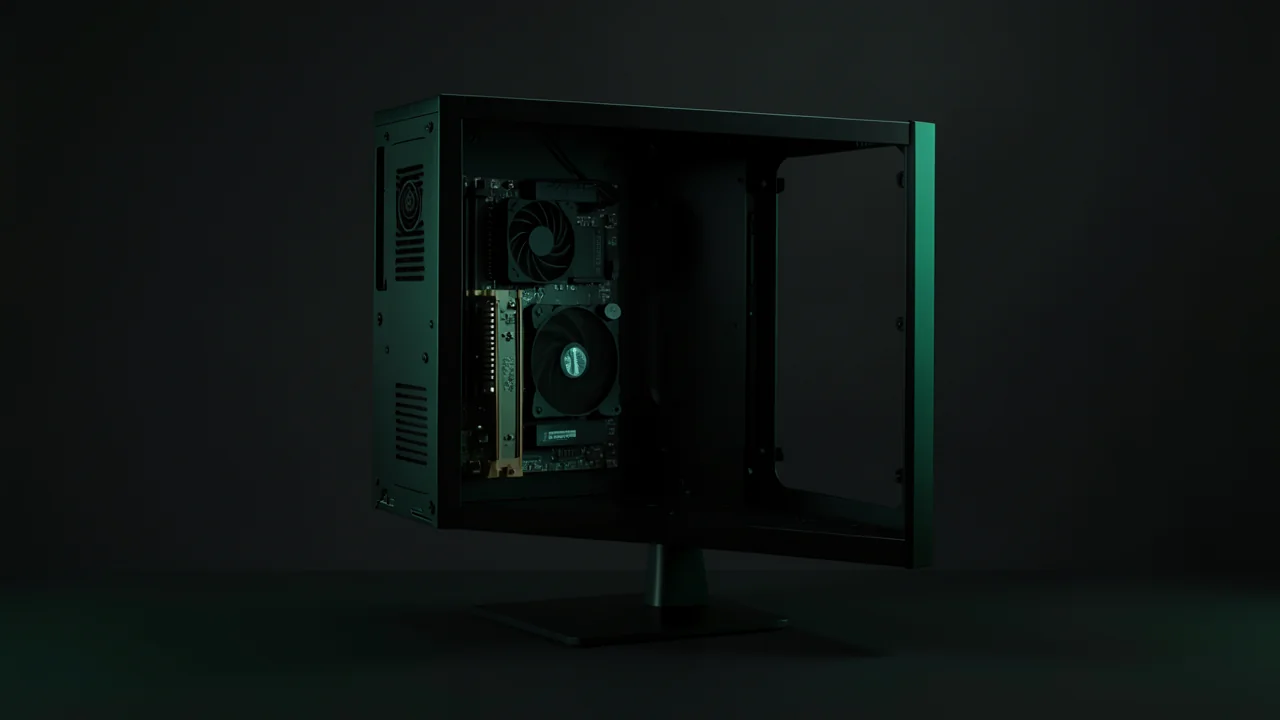
An eGPU is a desktop graphics card housed in an external enclosure and connected to a laptop or mini PC over Thunderbolt, USB4, or OCuLink. For local AI, it provides the VRAM you're missing: a model that fits entirely on the card runs almost normally, and the 32 to 64 Gbit/s link mainly slows down loading. Apple Silicon Macs don't support it for Ollama or MLX.
A laptop with a GeForce RTX 4070 Laptop GPU has only 8 GB of VRAM, too little for models with 14 to 32 billion parameters. An eGPU adds a real desktop card without replacing your machine. Here you'll learn which connection to choose, how much speed the cable costs you, what does and doesn't work on Mac, and how to check that Ollama is actually using the external card.
Choosing a machine? Our picks by budget →
Good value for local AI: a GMKtec EVO-X2 — Amazon may show another configuration; check before buying.
A mini PC is a complete machine: check the available memory and engine compatibility. It does not replace macOS/MLX or CUDA.
Compare all options by budget, from €800 to €3,500 →
Small budget: RTX 5060 · Large models: RTX 5090 · Mac Studio.
On the go: which laptop for local AI →
Affiliate links — commission possible at no extra cost to you. As an Amazon Associate, BestLLMfor earns from qualifying purchases.
Amazon may redirect you to a local store or show another configuration. Check the listing before buying; this link does not guarantee the destination or configuration.
#eGPU: What is it, and is it useful for local AI?
An eGPU (external GPU, or external graphics card) is an enclosure that houses a desktop graphics card and its power supply, connected to a computer by a cable that carries the PCI Express bus. For local AI, an eGPU is mainly used to add video memory (VRAM) to a laptop or mini PC that doesn't have enough.
To the system, an eGPU is just another graphics card: the documentation for the NVIDIA Linux driver states that it supports external GPUs connected over Thunderbolt. Ollama and llama.cpp then use it like an internal card.
A language model generates quickly when all of its weights fit in VRAM. According to the table published by the Jan team, the GeForce RTX 4070 Laptop GPU has 8 GB of VRAM. A 16 or 24 GB desktop card in an eGPU opens up 14- to 32-billion-parameter models at Q4, which need roughly 9 to 20 GB for the weights alone, plus context.
- VRAM
- VRAM is the graphics card's memory: it holds the model weights and the context cache.
- PCIe tunneling
- PCIe tunneling is the feature that carries the PCI Express bus over a Thunderbolt or USB4 cable. Without it, an eGPU enclosure doesn't work.
- Thunderbolt
- Thunderbolt is a connection over a USB-C port that carries data, display, PCIe, and charging.
- OCuLink
- OCuLink is a connector that brings PCI Express lanes from the motherboard out over a cable (four lanes in the 4i version), with no Thunderbolt controller in between. It's mostly found on mini PCs.
#Thunderbolt 4, Thunderbolt 5, USB4, or OCuLink: which connection for an eGPU?
How you connect an eGPU determines the available PCIe bandwidth: 32 Gbps over Thunderbolt 4 and 64 Gbps over Thunderbolt 5, according to Intel, and about the same over OCuLink PCIe 4.0 x4. A USB4 port only works if the computer's manufacturer states that it supports external graphics enclosures.
| Connexion | Advertised PCIe bandwidth | What it carries | For which machine |
|---|---|---|---|
| Thunderbolt 4 | 32 Gbps required by Intel | PCIe, display, USB, charging | Recent laptops with a Thunderbolt 4 port |
| Thunderbolt 5 | 64 Gbps required by Intel; 80 Gbps of bandwidth in each direction | PCIe, display, USB, charging | Laptops with Thunderbolt 5 |
| USB4 | Varies: PCIe tunneling depends on the device | Depends on the manufacturer's implementation | Only if the computer's spec sheet lists eGPU support |
| OCuLink 4i | PCIe 4.0 x4, up to 64 GT/s according to Minisforum | PCIe only | Mini PCs and a few laptops with an OCuLink port |
#Thunderbolt 4 or Thunderbolt 5 eGPU?
A Thunderbolt 5 eGPU has twice the PCIe bandwidth of a Thunderbolt 4 eGPU. According to Intel's technical brief on Thunderbolt 5, a Thunderbolt 4 PC must provide 32 Gbps of PCIe and a Thunderbolt 5 PC 64 Gbps. A Thunderbolt 5 enclosure still works with a Thunderbolt 4 laptop: Razer advertises its Core X V2 as compatible with Thunderbolt 5 and Thunderbolt 4 laptops. In that case, PCIe bandwidth is limited to that of the Thunderbolt 4 port.
The USB-IF advertises up to 80 Gbps for USB4 with certified cables, but that figure says nothing about the PCIe tunnel. Razer only promises compatibility with USB4 devices that support external graphics enclosures: the USB4 logo alone isn't enough.
#OCuLink for an eGPU: direct PCIe, no Thunderbolt
An OCuLink eGPU connects four PCIe 4.0 lanes from the computer directly to the dock. The Minisforum DEG1, for example, advertises an Oculink 4i port at PCIe 4.0 x4, accepts ATX and SFX power supplies, and takes cards up to the RTX 4090 or the RX 7900 XTX. OCuLink carries only PCIe: no display and no charging, and your computer needs an OCuLink port. Minisforum's product page says nothing about hot-plugging; to be safe, turn off both the computer and the dock before connecting or disconnecting the cable.
#Does an eGPU slow down a local LLM?
An eGPU slows down a local LLM only slightly when the model fits entirely in VRAM, because the weights stay on the card during generation. The external link affects model loading, and much more so when the model spills over into system memory.
According to the Jan team, a RTX 4090 reads its VRAM at about 1,000 GB/s, while its PCIe 4.0 x16 slot provides about 32 GB/s. A 32 Gbit/s Thunderbolt 4 link works out to about 4 GB/s, and a 64 Gbit/s Thunderbolt 5 or OCuLink link to about 8 GB/s. During generation, VRAM reads dominate; the cable mostly carries the prompt, the generated tokens and, at startup, the weights.
This is an estimate, not a measurement: transferring the 19 to 20 GB of a 32B model in Q4 takes at least about 5 seconds at 4 GB/s and 2.5 seconds at 8 GB/s, not counting disk reads. According to the Ollama documentation, a model then stays in memory for 5 minutes by default, so you don't pay that delay again between two questions.
The Jan team published a comparative benchmark. Running Mistral 7B in Q4_K_M under llama.cpp, a RTX 4090 in an AORUS RTX 4090 Gaming Box enclosure, connected over Thunderbolt 3 to a Razer Blade 14, produced 62.22 tokens per second, versus 100.43 for a desktop RTX 4090 on PCIe 4.0 x16, which Jan puts at 38.5% slower. This benchmark is old and should be read with caution: the two host machines were not the same, so the gap doesn't measure the cable alone; the Thunderbolt 3 enclosure was plugged into the laptop's USB4 port, and Jan writes that it isn't sure of that link's actual bandwidth.
#eGPU on a Mac: is it possible with an Apple Silicon chip?
An eGPU doesn't work with Ollama, LM Studio, or MLX on a Mac with Apple Silicon. Apple states that a Mac with an Intel processor is required to use an eGPU, and Razer specifies that eGPUs aren't supported on M1 and later Macs.
TinyGPU is the exception. TinyGPU is an application that, according to the tinygrad documentation, lets you use AMD RDNA3 or newer and NVIDIA Ampere or newer cards on macOS 13 or later, over USB4 or Thunderbolt, with the tinygrad framework. According to heise (April 7, 2026), Tiny Corp, which develops tinygrad, claims that Apple has approved its drivers; this approval is known only through that statement. Also according to heise, these drivers work only with tinygrad, not with MLX.
On a Apple Silicon Mac, your local AI capacity is decided at purchase: unified memory serves as both RAM and VRAM, and you can't expand it later.
#eGPU enclosure for AI: what should you check and how much does it cost?
An eGPU enclosure for AI must fit your card, supply enough power, and use your computer's fastest connection. As of November 18, 2026, Razer France's official store lists the Core X V2 starting at €409.99, without a graphics card or power supply; this price may change.
- Connexion
- Get a Thunderbolt 5 enclosure if your computer has a Thunderbolt 5 port, or an OCuLink dock if your mini PC has an OCuLink port. The Razer Core X V2 is rated for up to 80 Gbit/s over Thunderbolt 5.
- Power supply
- Razer states that the Core X V2 does not include a power supply: you buy an ATX power supply separately, sized for your card.
- Card size
- Compare your card's length and thickness with the enclosure's dimensions. The Core X V2 accepts NVIDIA and AMD cards up to 4 slots thick.
- System
- Razer requires Windows 10 RS5 or Windows 11 for the Core X V2. On Linux, check Thunderbolt support in the kernel and in the card's driver.
- Recharge
- A Thunderbolt enclosure can charge your laptop over the same cable: according to Razer, the Core X V2 delivers up to 140 W, so you don't need a second charger.
The real cost of an eGPU adds up the enclosure, the power supply, the graphics card, and, for OCuLink, the right cable. Compare that total with the price of a desktop PC or a unified-memory mini PC.
#Set up an eGPU for Ollama on Windows or Linux
Setting up an eGPU for Ollama takes six steps, from checking the port to the final check: ollama ps should show the model loaded 100% on the external GPU.
- 01Check the computer's portLook in your computer's official spec sheet for Thunderbolt 4, Thunderbolt 5, OCuLink, or explicit eGPU support on its USB4 port. Without it, don't order an enclosure.
- 02Install the card and the power supplyInstall the graphics card in the enclosure and connect its PCIe power cables, along with an ATX power supply if the enclosure doesn't include one. Its wattage must cover the power draw specified by the card's manufacturer.
- 03Connect the enclosureWith Thunderbolt, use the included cable or a certified cable of the same generation. With OCuLink, turn off the computer and the dock before connecting the cable, then power the dock back on before the computer if the manual says to.
- 04Authorize the device on LinuxOn Linux, PCIe tunneling may be disabled by default. The boltctl list command shows Thunderbolt devices and their IDs; boltctl enroll followed by that ID authorizes the enclosure and saves it for future connections.
- 05Install the card's driverInstall the card manufacturer's driver. Ollama supports NVIDIA cards with compute capability 5.0 or higher with driver version 550 or newer, and AMD cards via ROCm or Vulkan.
- 06Verify that the model runs on the eGPURun a model in Ollama, then type ollama ps in a second terminal: the PROCESSOR column should show 100% GPU. A value split between CPU and GPU means the VRAM has been exceeded.
According to the Linux kernel documentation, a Thunderbolt device can read the computer's memory without the processor or operating system knowing, which is why it's blocked by default. Only authorize your own enclosure.
#eGPU, desktop PC, or unified-memory mini PC: which should you choose?
An eGPU makes sense when you're keeping a recent laptop or mini PC that lacks VRAM. If you're starting from scratch, a desktop PC with the same card in a PCIe x16 slot gives you a PCIe link 4 to 8 times wider, and a unified-memory mini PC targets very large models.
| Your situation | Recommended option | Reason |
|---|---|---|
| Thunderbolt 4 or 5 laptop, need for 16 to 24 GB of VRAM | Thunderbolt eGPU | You keep the machine; the model loses little if it fits in VRAM |
| Mini PC with an OCuLink port | OCuLink dock | Direct PCIe 4.0 x4, no Thunderbolt controller |
| No machine, so plan for a full purchase | Desktop PC with a PCIe x16 card | PCIe link 4 to 8 times wider than an eGPU's |
| Models with 70 billion parameters or more | Mini PC or workstation with 128 GB of unified memory | The GeForce RTX 5090 has 32 GB of VRAM according to NVIDIA, less than the roughly 40 GB of weights of a 70B model in Q4 |
| Mac with an Apple Silicon chip | No eGPU for Ollama or MLX | Only exception: TinyGPU, limited to tinygrad |
| USB4 laptop with no mention of eGPU | No eGPU | The USB4 logo alone doesn't guarantee PCIe tunneling |
An eGPU doesn't change anything about privacy: the computation and data stay on your hardware.
Is a Thunderbolt 4 eGPU enough to run an LLM?+
Can you unplug an eGPU without shutting down the computer?+
Is OCuLink faster than Thunderbolt for an eGPU?+
How much does a complete eGPU setup for AI cost?+
Does an eGPU work on a laptop without Thunderbolt?+
#Sources and verification as of November 18, 2026
Bandwidth, compatibility, commands, and prices checked November 18, 2026, against Intel's technical brief, manufacturers' pages, the documentation for Ollama, the Linux kernel, bolt, NVIDIA, and tinygrad, Jan's benchmark, and the heise article; prices and compatibility lists may change.
- Source: Using an eGPU with a Mac (Apple)
- Source: Razer Core X V2 product page (Razer)
- Source: DEG1 OCuLink dock product page (Minisforum)
- Source: Thunderbolt 5 and Thunderbolt 4 technical brief (Intel)
- Source: Ollama FAQ, ollama ps command
- Source: Thunderbolt on Linux (kernel documentation)
- Source: TinyGPU for Mac (tinygrad)
- Source: RTX 4090 and eGPU benchmark (Jan)
Feedback, an error, or a clarification? Let us know—it improves the guide for everyone.